


Necessary


 Login
 U.S. & Canada (English)


Please first contact the VPP company to make your system exit the VPP, then you can choose another work mode in mySigen app.
Currently on mySigen App, we provide dynamic tariff data from Octopus energy. British user can select Octopus energy in our dynamic tariff function to access the data.
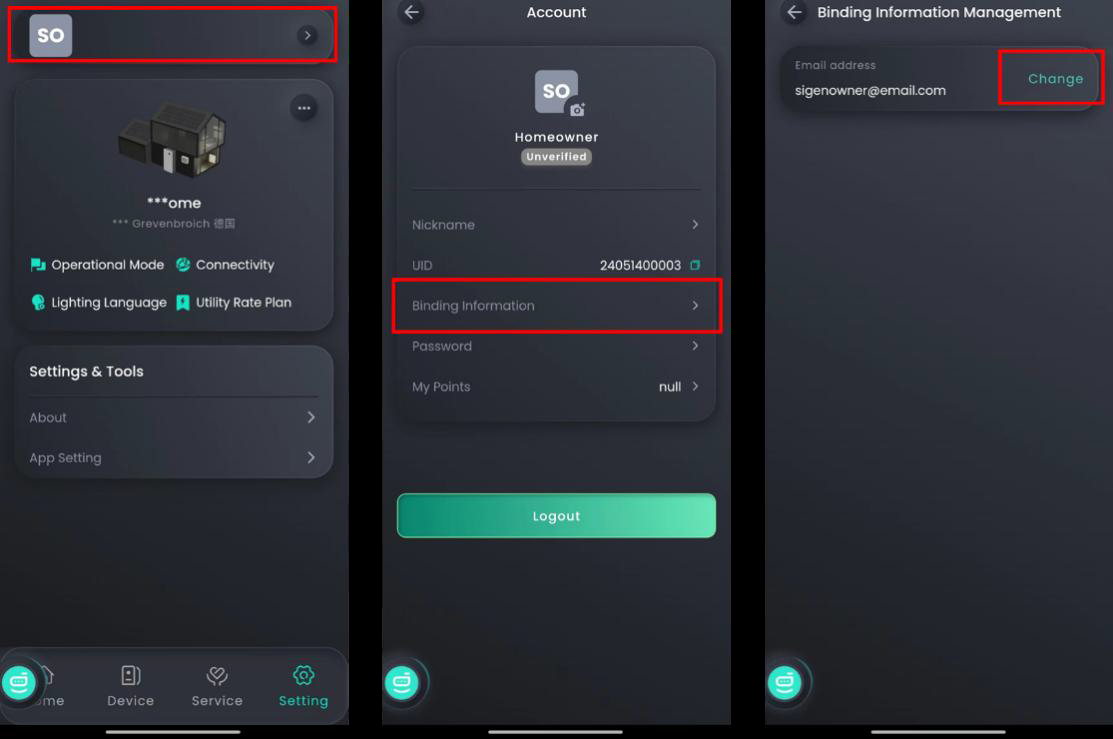
If this e-mail address is not activated, installer can change the e-mail address on the App;
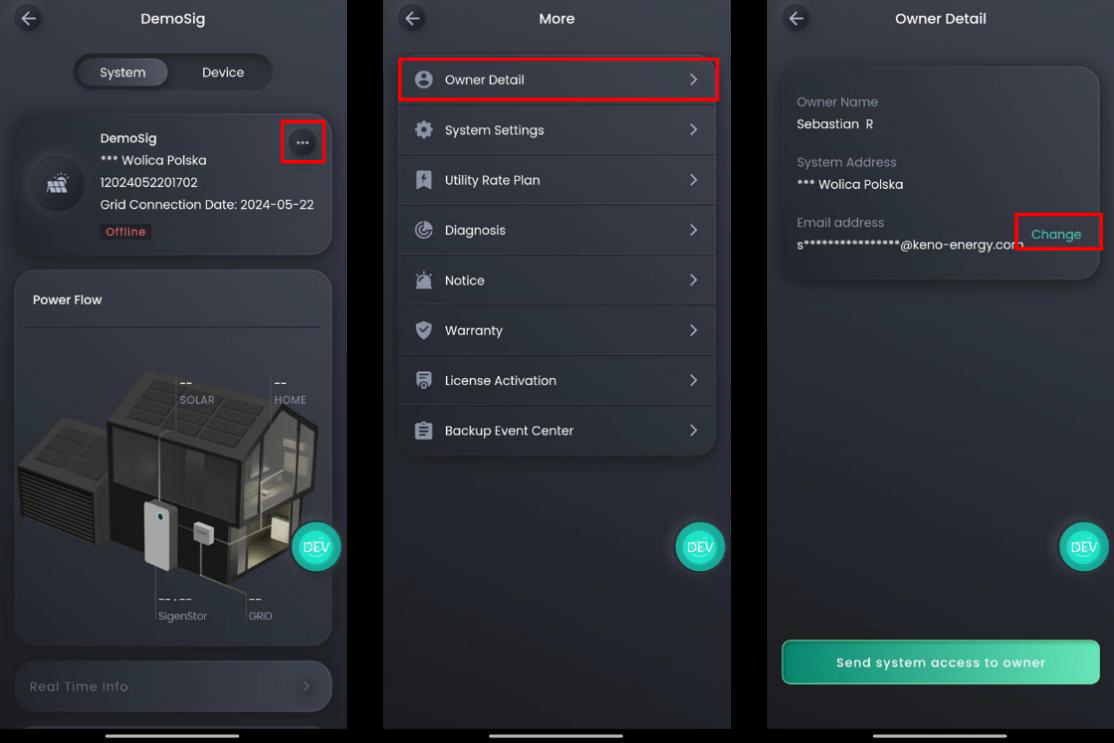
If this owner's mailbox has been activated, changes can only be made by the activated account.
The direction of current flows from the grid to the load is positive. please ensure that the direction of CT arrow is consistent with the current.
To use the digital outputs, you need to follow the steps below:
1. Check that your device has a digital output. This can be found in the device specification or device manual.
2. Make sure your device is properly powered and connected.
3. Identify the digital outputs on your device. This can be done by a label or symbol on the device itself.
4. Decide what operation or function you want to perform using the digital outputs. This can include controlling external devices, triggering alarms, or sending signals to other systems.
5. Connect the digital output to the appropriate external device or system. Ensure that the connections are correct and that there is compatibility between your device and the external device.
6. Configure the settings for the digital outputs according to the device manufacturer's instructions. This may include selecting output modes, setting thresholds, or programming schedules.
7. Test the functionality of the digital outputs to ensure that they work as expected. Check that the connected device or system responds to the output signals. Note that specific steps and functions may vary by device and manufacturer. It is recommended to consult the manual or documentation for your specific device for detailed instructions.
The estimated start-up time for DC charging is about 40 seconds. Please do not swipe your card again during this period.
1. Get customer's email address: requires the customer to provide an email address.
2. commissioning:After installing the device, scan the QR code on the device to enter the commissioning process.
3. Input customer information: In the first step of commissioning, input the customer's name and e-mail address.
4. Activation: After entering the email address, the owner will receive an activation email. Customers need to click the link in the email to activate.
5. Login: Once activated, the customer can login to the app via this email address.
If the signal indicator is green or blue, but the device is offline, please contact Sigen Service!
Otherwise, it may cause by the following reasons:
1. The device is not connected to a network, make sure that at least one of FE, 4G or WLAN is reliably connected;
2. The 4G Communication module has 30M of traffic per month and may go offline if it runs out;
3. There is an anomaly in the network provided by FE/WLAN/4G;
4. The communication between device and network provider is abnormal, please try to restart the device first (Disconnect the AC and DC switches, after the LED light is off (long press the start button), then re-close the AC and DC switches, and the LED light is on again).
If none of the above operations can be restored, it is recommended to contact your installer for inspection.
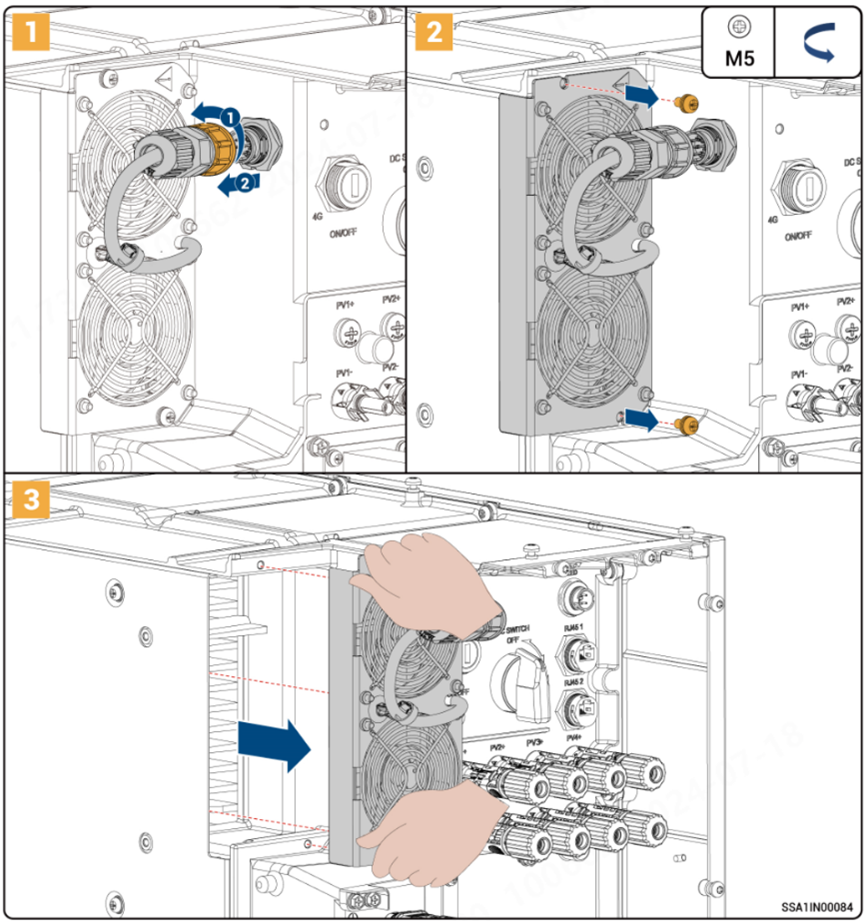
The external fan of the inverter does not rotate as follows:
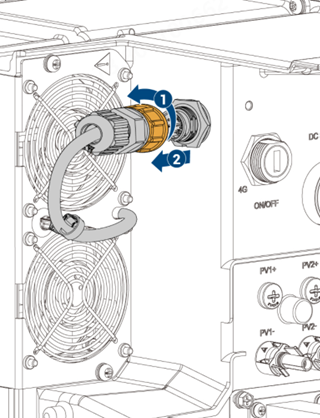
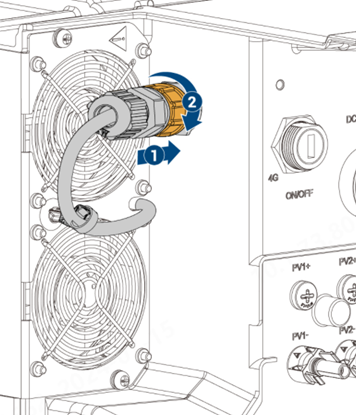
(1) After the power station is powered off, plug and unplug the fan terminal 3-4 times, and the operation is as follows:
(2) After the system is powered off, disassemble the fan, clean up the foreign objects that may exist through brushes and other tools, use a screwdriver and other tools to dial the fan blades to observe whether the fan blades rotate smoothly, and then install them back to their original positions;
To remove the fan:
Installing the Fan:
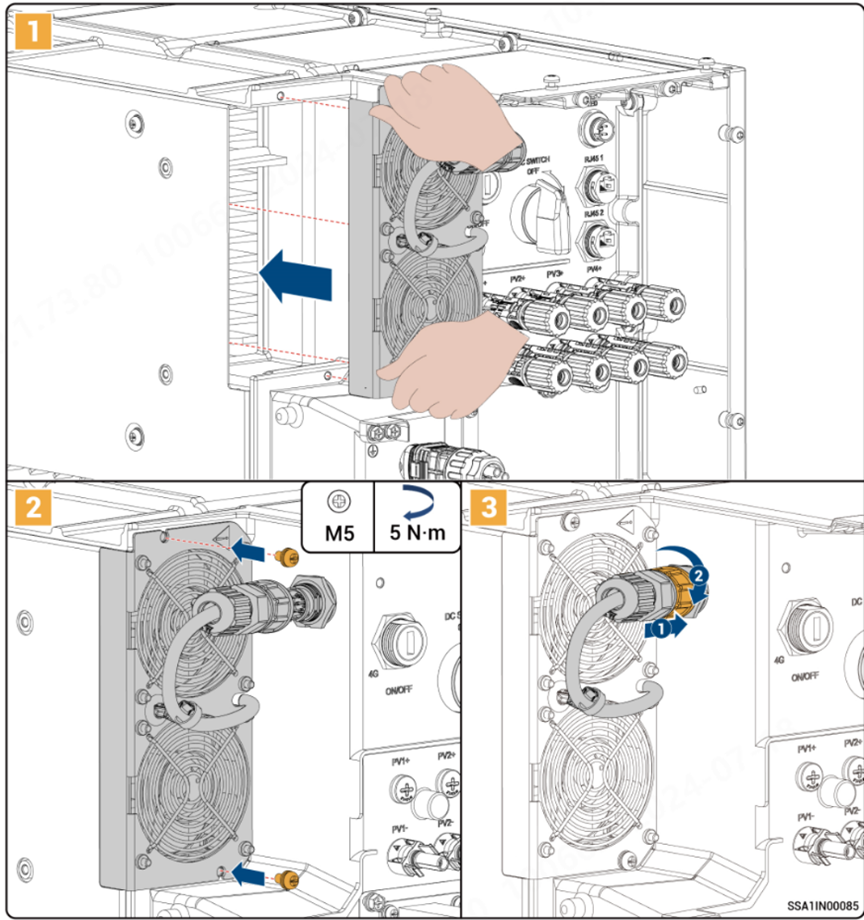
(3) If there is a multi-parallel scenario, remove the fan that does not rotate, clean up the foreign objects that may exist through a brush or other tools, and then switch the position with the fan of another inverter, and then power on to observe whether the fan rotates.
(4) If the fan still won't turn, contact your installer or Sigen Technical Support to replace the fan.
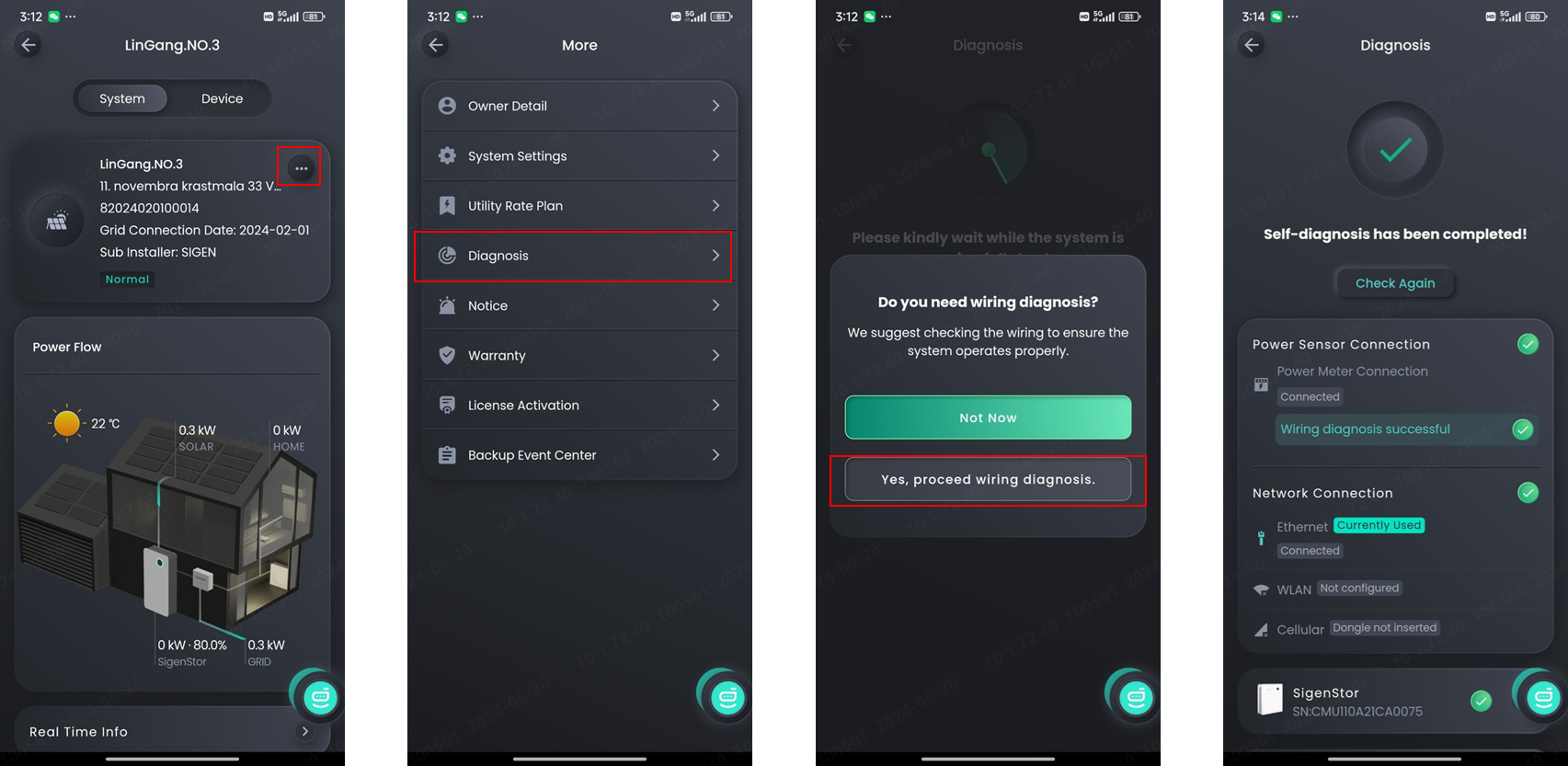
Switch the positions of L2 and L3 between the Gateway and grid, and then perform the wiring test.
You need to submit a grid connection application to the local power grid company.




 Cookie Set

These cookies are essential for the proper functioning of my website. Without these cookies, the website would not work properly
| Name | Expiration | Description |
| PHPSESSID | session | Cookie generated by applications based on the PHP language. This is a general purpose identifier used to maintain user session variables. It is normally a random generated number, how it is used can be specific to the site, but a good example is maintaining a logged-in status for a user between pages. |
| cookielist-consent | 1 year | Sets this cookie to remember users' consent preferences so that their preferences are respected on their subsequent visits to this site. It does not collect or store any personal information of the site visitors. |
| sl-session | 1 day | Anti-crawler and machine behavior recognition |
Analytical cookies are used to understand how visitors interact with the website. These cookies help provide information on metrics such as the number of visitors, bounce rate, traffic source, etc.
| Name | Expiration | Description |
| _ga | 1 year | The _ga cookie, installed by Google Analytics, calculates visitor, session and campaign data and also keeps track of site usage for the site's analytics report. The cookie stores information anonymously and assigns a randomly generated number to recognize unique visitors. |
| _ga_6JGTHLPYFN | 1 year | This cookie is installed by Google Analytics. |
| _gcl_au | 3 months | Provided by Google Tag Manager to experiment advertisement efficiency of websites using their services. |