


Necessary



 Login
 Global (English)
05 Nov, 2026
Share
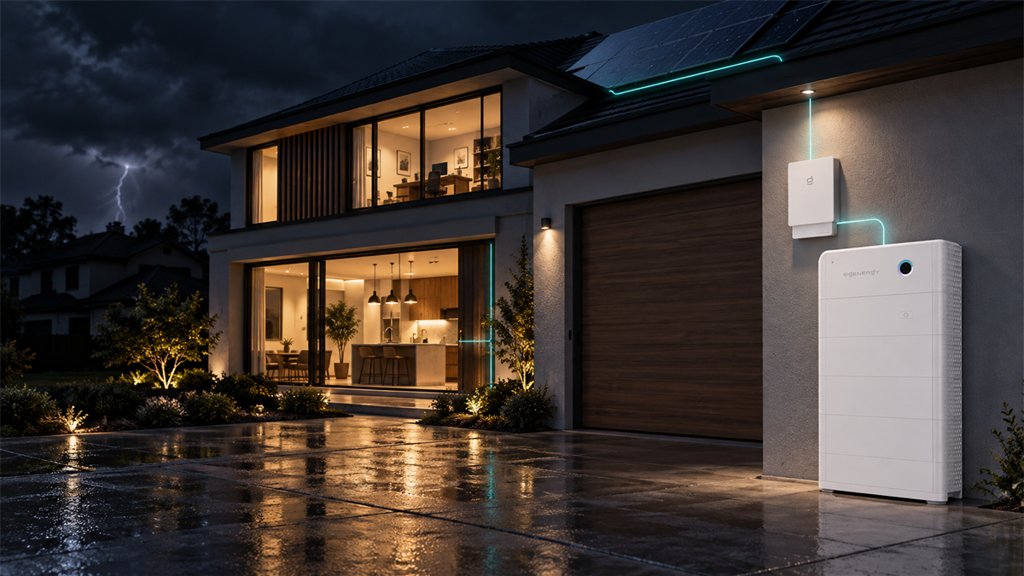
A solar battery backup keeps selected household circuits supplied when the grid goes down. In a SigenStor configuration, the battery and Sigen Energy Gateway work together to supply protected loads.
It can support essential loads such as refrigeration, lighting and communications. Larger appliances need a system-specific assessment. Here, we explain how backup works, what it can power and how to plan for the time you need.
During everyday operation, SigenStor combines solar conversion, battery storage and energy management. Solar electricity supplies household loads, with surplus generation available to charge the battery. Stored energy then supports the home when sunlight is insufficient, according to your operating settings.
A blackout changes where that electricity can go. Our gateway detects the grid failure and isolates the backed-up installation from the utility network. The Sigen Energy Controller and battery maintain supply to the connected backup circuits, using available solar generation alongside stored energy.
With Sigen Energy Gateway, Sigen Energy Controller and Sigen Battery working together, we deliver 0 ms load-side disruption during the transition to backup. That 0 ms figure comes from the Sigen Energy Gateway HomePro datasheet’s grid open-circuit test, in which the controller’s nominal power exceeds the total backup load. The benefit is continuity at the moment of changeover, with power maintained on the protected side.
Once the home is operating independently of the grid, solar production can supply backed-up loads and replenish the battery. After sunset, the balance shifts toward stored energy. How long that supply lasts depends on the appliances you keep running and the charge available when the outage begins.
A solar battery backup can commonly support refrigerators and freezers, essential lighting, routers and modems, home-office equipment and selected water or sump pumps. Larger loads—including air conditioning, heat pumps, electric cooking, water heating and EV charging—depend on the backup connection, continuous output, starting demand and usable battery capacity.
Build your backup list room by room, then separate equipment that must remain available from tasks that can wait. A refrigerator and scheduled EV charging do not necessarily deserve the same share of stored energy.
Use the checklist below with your installer, asking them to confirm whether each circuit or socket will receive backup power.
| Equipment | Backup connection | Power to confirm | Planned use |
|---|---|---|---|
| Refrigerator or freezer | Its socket and circuit | Running watts and compressor surge power at startup | Remain available; account for cycling |
| Lighting, router and modem | Selected lighting circuits and equipment sockets | Combined input watts of the devices kept on | Required hours, including overnight |
| Computer and monitors | Desk sockets and associated networking | Combined power during normal work | Working hours and overlapping loads |
| Water or sump pump | The pump’s supply circuit | Running watts and motor-start demand | Expected starts and operating time |
| Air conditioner or heat pump | All required system circuits | Running input, starting demand and phase requirements | Rooms to serve and operating hours |
| Electric cooking, water heating or EV charging | Each appliance or charger circuit | Actual input or selected charging power | What can wait or run separately |
Appliance manuals and model-specific electrical data are better starting points than a generic wattage chart. For pumps and compressors, the installer also needs to check the brief demand at startup. For runtime, use average consumption over the period you want to cover rather than the highest figure on a label.
Whole-home backup broadens circuit coverage, while the system’s power limits still apply. We therefore size for the combination of appliances you expect to use together. Starting a pump while cooking is a different requirement from running the refrigerator and a few lights overnight.
We suggest comparing two versions of your list: an essentials-only plan and a normal-evening plan. The first might preserve refrigeration, communications and selected lighting; the second could add cooking and room cooling. That comparison makes the extra coverage tangible before you decide how much storage and output to specify.
Our SigenStor Calculator uses backup power, surge power and target backup hours to estimate the required backup energy. Its result gives you and your installer a common starting point for equipment selection and the operating plan.
To estimate backup runtime, first separate two limits: power determines what can run at the same time, while usable energy determines how long those loads can keep running. Kilowatts (kW) describe how much power equipment draws at a given moment. Kilowatt-hours (kWh) describe energy used or stored over time. A system needs enough of both for the appliances and backup duration you plan.
Our SigenStor BAT 6.0 specifications list 5.84 kWh of usable energy, 3,000 W maximum charge/discharge power and 4,500 W peak charge/discharge power for 10 seconds. These are battery-module ratings; the controller and complete configuration determine the power delivered to household circuits. For runtime calculations, we use usable capacity, not the model number. The datasheet lists 6.02 kWh total capacity and specifies that its 100% depth of discharge refers to usable energy.
For a simple, hypothetical example, assume a fully charged module provides its rated usable energy to a constant 600 W average load, with no solar input. Before conversion losses and system consumption:
5.84 kWh ÷ 0.60 kW = approximately 9.7 hours.
We have assumed 600 W for this calculation; substitute your household’s estimated average load. Starting charge, conversion losses and system consumption affect the actual runtime, while daytime solar can replenish the battery.
Backup Reserve in mySigen separates stored backup energy from everyday battery use. With the gateway installed, you can preserve a chosen portion of battery charge while connected to the grid. Normal grid-connected discharge stops at that level, and the reserve becomes available when the grid fails. The reserved energy counts toward the available outage runtime.
Together, the load estimate and reserve setting replace a generic runtime question with two practical ones: how much energy will be ready when you need it, and how quickly will your household use it?
Our Australian installer Tayla Bruce shared what happened at Jason’s three-phase home in Brisbane. After Cyclone Alfred left the family without grid power for six days, they installed a 32 kWh SigenStor system. Months later, severe storms caused another five-day local blackout. Tayla reported that the household remained powered throughout—a different experience from the outage that had prompted the installation.
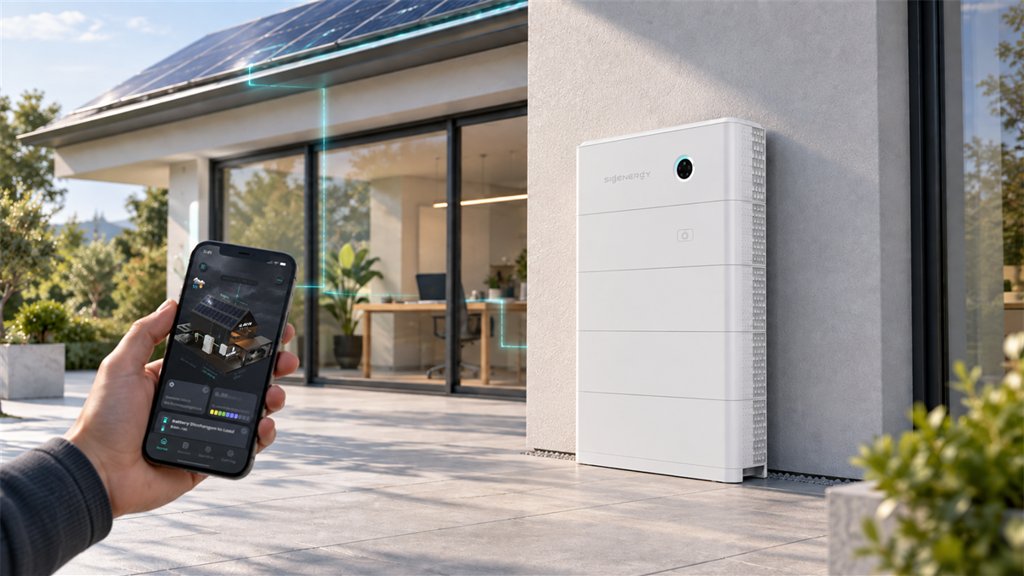
For your own backup plan, the mySigen App helps you follow the energy balance from daylight into the evening. It shows solar generation, household consumption and battery charge levels. Track how much daytime solar rebuilds the battery while supplying the home, then compare that gain with evening discharge. This pattern shows when discretionary tasks can wait.
With a compatible Sigen Energy Gateway HomePro configuration, our Smart Gateway adds visibility at the load level. Its load-side Sankey diagram identifies the energy sources supplying each configured smart load, helping you distinguish solar-powered operation from demand on stored energy. You can pair that visibility with automatic control based on state of charge (SOC), the percentage of battery charge remaining. Our published example switches off a connected heat pump below 20% SOC, preserving energy for priority loads. Choose that approach for equipment your household can comfortably pause.
When prolonged cloud cover limits solar replenishment, a compatible HomePro configuration also supports a diesel-generator connection, two-wire start and remote control through mySigen. That provides another replenishment option when reducing consumption alone will not cover the remaining outage.
Your completed load list now provides three inputs: the appliances to protect, their combined demand when used together and the number of backup hours required. These inputs guide the choice of protected circuits, system output and usable battery capacity.
SigenStor’s modular, stackable design allows storage to expand as your needs change. Each battery pack includes a DC–DC optimizer that manages power at pack level. In a compatible configuration, new and existing packs—including packs with different capacities or states of health—can operate together, so adding storage does not automatically require replacing the existing stack.
Expansion should follow a clear goal, such as longer overnight coverage, support for another essential appliance or more energy for an extended outage. Additional storage increases available energy, while backup power must be assessed separately for the complete configuration.
Your load checklist, preferred backup duration and details of any existing solar installation give the installer what is needed to select the controller, gateway and battery arrangement.
Yes. In a compatible SigenStor backup configuration, connected solar generation can support backed-up loads and recharge the battery during an outage. Existing solar installations require a compatible inverter connection to the backup system; rooftop panels alone are insufficient.
No. Coverage follows the installation’s backup connections. Identify the protected sockets and circuits so the refrigerator, router and other priority equipment can be connected to the intended backup supply.
Yes. Compatible SigenStor battery packs can be added later, subject to the existing stack and system configuration. Define the extra runtime or loads before planning an expansion.
We combine SigenStor’s modular storage with the Sigen Energy Gateway’s seamless transfer and smart-load controls to support a plan built around your essential loads and target runtime. Find an installer or contact us to discuss a configuration for your home.





 Cookie Set

These cookies are essential for the proper functioning of my website. Without these cookies, the website would not work properly
| Name | Expiration | Description |
| PHPSESSID | session | Cookie generated by applications based on the PHP language. This is a general purpose identifier used to maintain user session variables. It is normally a random generated number, how it is used can be specific to the site, but a good example is maintaining a logged-in status for a user between pages. |
| cookielist-consent | 1 year | Sets this cookie to remember users' consent preferences so that their preferences are respected on their subsequent visits to this site. It does not collect or store any personal information of the site visitors. |
| sl-session | 1 day | Anti-crawler and machine behavior recognition |
Analytical cookies are used to understand how visitors interact with the website. These cookies help provide information on metrics such as the number of visitors, bounce rate, traffic source, etc.
| Name | Expiration | Description |
| _ga | 1 year | The _ga cookie, installed by Google Analytics, calculates visitor, session and campaign data and also keeps track of site usage for the site's analytics report. The cookie stores information anonymously and assigns a randomly generated number to recognize unique visitors. |
| _ga_6JGTHLPYFN | 1 year | This cookie is installed by Google Analytics. |
| _gcl_au | 3 months | Provided by Google Tag Manager to experiment advertisement efficiency of websites using their services. |